OpenFIT's Client Data Entry role is designed to enhance role-based security, ensuring that such as intake specialists or receptionists, have access to the data they need while safeguarding sensitive clinical information. This provides a tailored, secure environment that differentiates OpenFIT from basic outcome measurement tools by offering more advanced role-based access control.
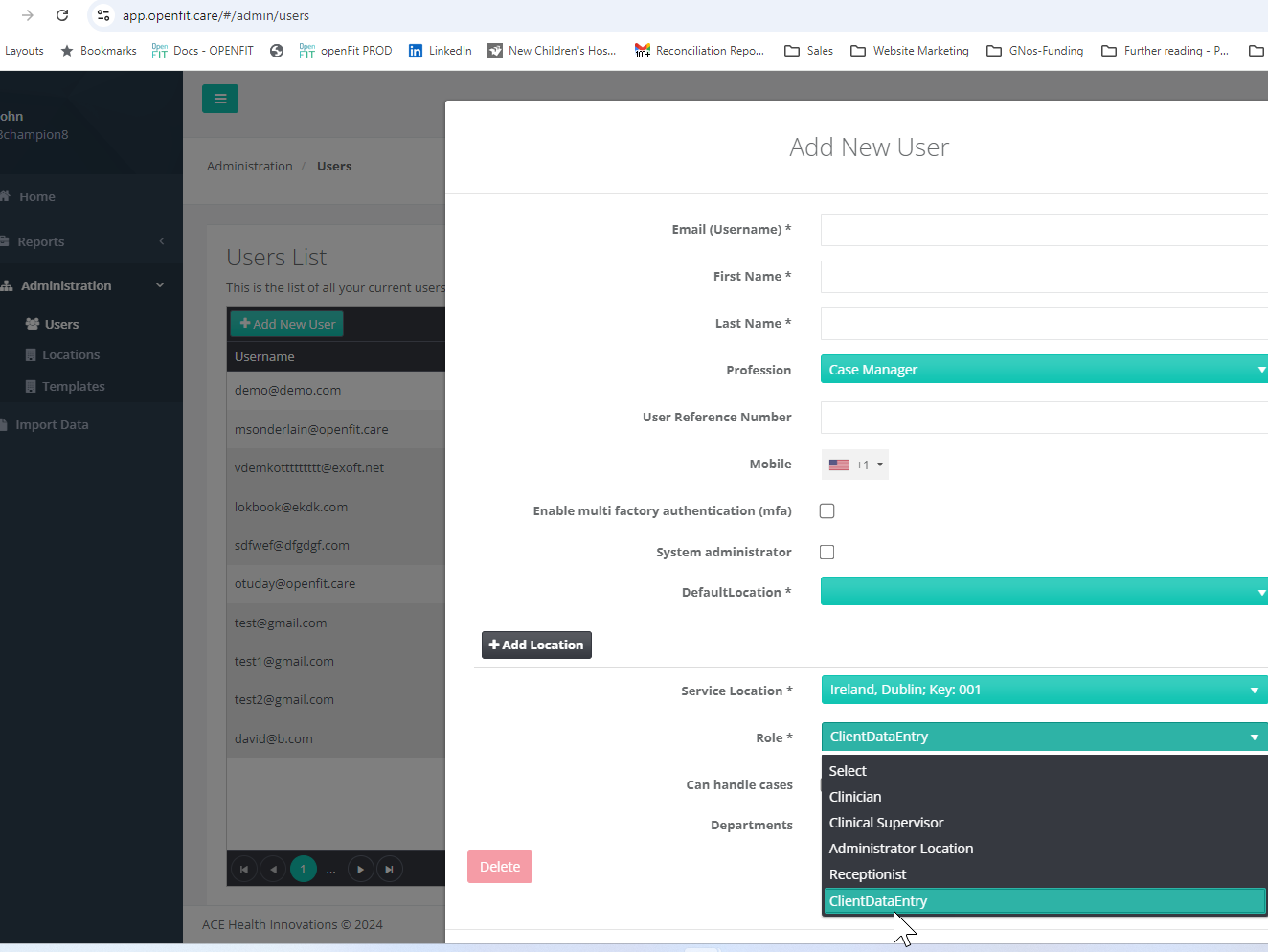
More and more agencies have an intake specialist or receptionist entering information in OpenFIT. To facilitate this, a specialist user role has been setup.
The purpose of the role is to provide the appropriate level of privileges and data access in order to fulfil this role in the system. These tasks include:
- Setup a new Case
- Schedule Appointments
- Assign a Case to a new Clinical Owner
- Entering and Updating Client and Collateral demographic data
- Closing Cases
- Capture Survey data
The Client Data Specialist does not have the My Cases Tab. Instead, they can view Cases, Clients, and Collateral Raters for which they have Location level access.
Administrators can control which Locations that a Client Data Specialist has access to.
They cannot:
- Delete Data
- View Session and Survey Data
- Have access to Reports
- Have access to Administration functions
Was this article helpful?
That’s Great!
Thank you for your feedback
Sorry! We couldn't be helpful
Thank you for your feedback
Feedback sent
We appreciate your effort and will try to fix the article